
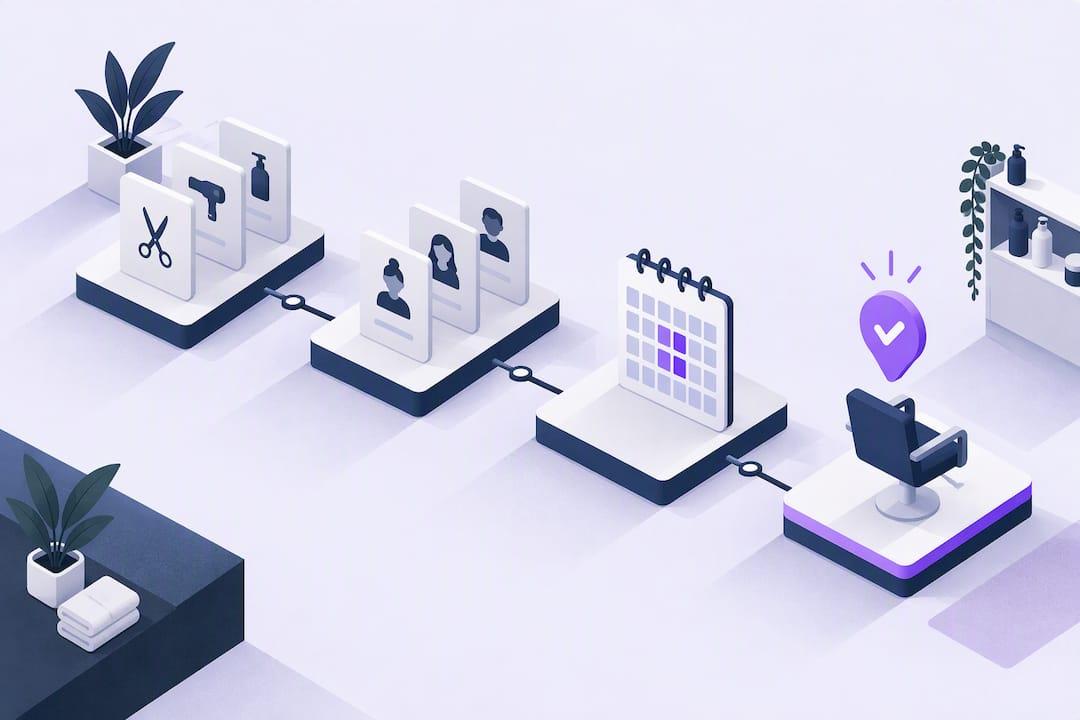
Yes, you can set up online booking in under an hour. Use a dedicated online booking platform to publish a tested booking flow, take payments and automate reminders, cutting phone calls and giving clients 24/7 access to your diary. The checklist and step-by-step setup below get you there in a single working session.
TL;DR:
- Properly setting up an online booking system requires detailed service, staff, and availability data before starting, to avoid mismatches and errors.
- Testing the booking flow involves creating and canceling test appointments using real contact details to ensure confirmation and reminder messages work correctly.
- Clear, fair, and visible payment and cancellation terms are crucial, with explicit acceptance steps to prevent disputes over deposits or fees.
- Embedding the booking widget on your website and linking it through social media increases client access and reduces missed appointments.
- Using automated reminders and offering self-service rescheduling can significantly reduce no-shows and streamline daily operations.
Table of Contents
- Quick checklist: what to prepare before you start setup
- Step-by-step setup: services, staff, availability and the booking flow
- Payments, deposits and cancellation terms: practical steps to reduce chargebacks
- Integrations and publishing: website widgets, social links, calendar sync and reviews
- Managing daily operations: reminders, reschedules, staff rota and reporting
- How ScheduloApp maps to these steps and what to expect in early access
- Common setup mistakes and quick wins
- How to try ScheduloApp now
- FAQ
- Sources
- Primary sources and further reading
Quick checklist: what to prepare before you start setup
Before you open any booking software, gather the basics so you are not pausing mid-setup to find information. A short prep list saves far more time than it costs.
- List every service with its duration and price, including add-ons such as colour correction or beard trims.
- Note each staff member and which services they perform.
- Decide your deposit or cancellation terms and where the privacy statement will sit on the booking page.
- Choose a payment processor and confirm which payment methods you want to accept.
- Confirm business hours, bank holidays and details for each location if you run more than one site.
Having these ready means the actual setup becomes a data-entry exercise rather than a series of decisions made on the fly.
Step-by-step setup: services, staff, availability and the booking flow
With your checklist in hand, work through the system in order. Skipping ahead tends to create mismatches between staff and services later.
- Create each service with its exact name, duration and price, and attach any add-ons as separate line items.
- Build staff profiles and assign the services each person offers, flagging mobile appointments or chair-rental arrangements that need separate availability rules.
- Set opening hours, availability windows per staff member, and a lead time (such as two hours) to stop last-minute bookings you cannot fulfil.
- Configure the booking flow itself: service selection, staff choice, time slot, client details, then payment or consent capture.
- Run several test bookings as a client would, including a cancellation, before making the page public.
Pro Tip: Book a test appointment using your own mobile number and a personal email address so you experience the confirmation and reminder messages exactly as a client would.
The order matters because availability rules depend on staff assignments, and the booking flow depends on both. A service with no assigned staff member will simply not appear as bookable, which is the single most common setup error. Testing before launch catches issues like double-booked slots or a payment step that is easy to skip past, both of which cause disputes later.
Payments, deposits and cancellation terms: practical steps to reduce chargebacks

How you present payment terms matters as much as the terms themselves. Legal guidance for UK hair salons stresses that cancellation and deposit terms must be clear, fair and shown before the client commits, with an explicit acceptance step such as an unticked tickbox rather than a line buried in small print.
A "non-refundable" label alone rarely settles a dispute. The same guidance notes that labels like "deposit" or "booking fee" do not automatically create enforceable rights unless the customer saw and accepted proportionate terms before booking.
- A refundable deposit is the softest option and causes the fewest disputes but offers little protection against no-shows.
- Pre-authorisation holds funds without charging immediately, useful for higher-value services.
- Full prepayment gives the strongest protection but can put off first-time clients.
- Whichever shape you choose, keep the confirmation email and the accepted terms logged, since that evidence trail is what supports your position if a client disputes a charge.
Integrations and publishing: website widgets, social links, calendar sync and reviews
Once the flow works, get it in front of clients wherever they already look for you.
- Embed the booking widget on your website, or add the public booking link to your Instagram and Facebook bios.
- Sync staff calendars with Google Calendar so a personal appointment blocks the same slot in the salon system automatically.
- Connect your payment processor and point-of-sale setup so takings reconcile without manual entry.
- Display your Google Reviews on the booking page, since visible ratings reassure new clients before they commit.
- Test every path, including the widget and the social link, on both mobile and desktop before announcing anything.
A booking page that works perfectly on desktop but breaks on mobile will quietly lose you the majority of casual bookers, since most arrive from a phone.
Managing daily operations: reminders, reschedules, staff rota and reporting
Setup is the easy part. The routines you build around the system determine whether it actually reduces admin.
- Set automated reminders, with industry guidance pointing to a message roughly 72 hours before the appointment and a second one 24 hours out.
- Offer a simple self-service reschedule and cancellation option so clients do not need to ring reception for routine changes.
- Use rota and shift templates to publish staff availability for the coming weeks in one pass rather than day by day.
- Review booking reports regularly to spot which days or staff see the most no-shows, then adjust allocation accordingly.
- Build a short morning and end-of-day routine: check the day's bookings first thing, reconcile payments against the till at close.
Pro Tip: Set your second reminder for the morning of the appointment rather than the previous evening, when it is easier to ignore.
Automated reminders are widely recommended across the trade precisely because they shift a repetitive manual task onto the system without adding friction for the client.
How ScheduloApp maps to these steps and what to expect in early access
Some booking platforms cover each stage above within one system: instant 24/7 booking, staff scheduling, Stripe payments, an analytics dashboard and integration with review displays on the business profile.
- Services, staff and availability are set up through the same guided flow described in the step-by-step section.
- During early access some platforms offer no subscription fees, allowing testing of real client bookings without committing to a paid plan.
- Confirmation emails and booking records are kept automatically, giving you the evidence trail that supports deposit and cancellation disputes.
- A support and knowledge base section covers step-by-step help for each feature, including payments and staff rotas.
You can see how a finished profile looks on a live example booking page, including the services list and reviews display.
Common setup mistakes and quick wins

The most frequent error is inconsistent service durations between staff, which quietly breaks availability calculations. A close second is skipping the acceptance step for deposit terms, then having no evidence when a client disputes a charge.
Quick wins: turn on automated reminders immediately, put your booking link in every social bio you control, and run a real test payment before you tell a single client the system exists.
— Kamil
How to try ScheduloApp now
Setting up ScheduloApp costs nothing to start, which matters if you are testing whether online booking actually suits your salon before you commit staff time to it. Sign up, import your services and staff list, run a test booking, then switch on payments once you are confident the flow works.

- Create an account and add your service list and staff profiles.
- Run a live test booking, including a cancellation, to check confirmation emails arrive correctly.
- Enable Stripe payments once the test booking confirms cleanly.
| Step | What to check |
|---|---|
| Sign up | Account created, business hours set |
| Import | Services, prices and staff assigned |
| Test | Booking, cancellation and confirmation email all work |
| Go live | Payments enabled, widget published |
Details of the current Early Access Plan are available on the pricing page, and you can get the app to test the client experience on mobile before announcing your new booking link.
FAQ
What is the best online booking system for salons?
There is no single system that suits every salon, since the right fit depends on the features you need, such as payments, staff rotas or Google Reviews display. Platforms like ScheduloApp cover instant booking, staff scheduling and payment processing at no subscription cost during early access, which makes them worth testing before committing to a paid plan.
What is the best booking system for salons?
The best system is the one that matches your service structure, staff setup and payment needs, and lets clients book without phoning in. Look for clear availability rules, automated reminders and a straightforward way to take deposits, since these features have the biggest effect on reducing no-shows and admin.
How do I create an online booking system?
Start by listing your services with durations and prices, then add staff profiles and assign services to each person. From there, set your opening hours and availability windows, build the booking flow through to payment, and run several test bookings before making the page public.
What is the best app for booking hairdressing appointments?
The best app depends on whether you need multi-location support, staff rotas or integrated payments alongside the booking calendar itself. Many salons test a free option first, such as ScheduloApp, to confirm the booking flow and reminders work before paying for extra features.
Sources
- Refund and Cancellation Terms for UK Hair Salons | Sprintlaw
- Getting started with data protection a step-by-step guide | ICO
Primary sources and further reading
For further reading, see the ICO's data protection guidance for small organisations and trade-body advice on salon reminders and software.