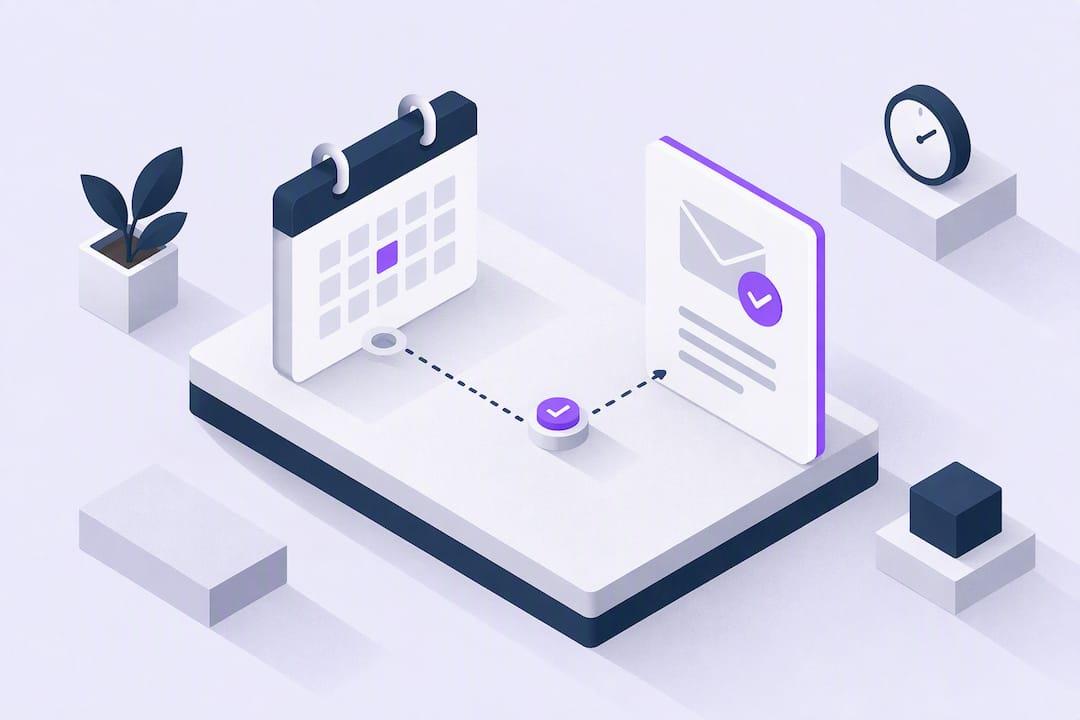
A good appointment confirmation email tells the recipient exactly who booked what, when, where and how to change it, and gives them one clear action to take next: add it to their calendar, or reschedule if the time no longer works. Send it the moment someone books, then back it up with a reminder. Nothing more is needed, and nothing less will do.
TL;DR:
- Sending confirmation immediately after booking with a calendar attachment significantly reduces missed appointments.
- A second reminder 48 to 72 hours before higher-value or clinical appointments further lowers no-show rates by several percentage points.
- Automation should trigger confirmations on booking and reminders at fixed intervals, attaching unique IDs and .ics files, with calendar and payment syncs in place.
- Confirmation messages must clearly answer who, what, when, where, and how to change, avoiding marketing content to stay compliant.
- Personalisation should reference only direct booking details, avoiding inferred data, to build trust and maintain compliance with UK GDPR principles.
Table of Contents
- What to include in every confirmation email
- Copy-ready templates for different appointment types
- When to send confirmations and reminders, and on which channel
- Automating confirmations: triggers, calendar files and integrations to test
- UK rules on confirmations: PECR, UK GDPR and transactional messages
- Language and behavioural nudges that reduce no-shows
- Pre-send checklist for templates and automations
- A working example: how booking platforms put this into practice
- Personalisation beyond name and date
- Why most confirmation advice stops too early
- How ScheduloApp handles confirmations for you
- FAQ
- Sources
What to include in every confirmation email
Every confirmation email should answer five questions in the first few lines: who, what, when, where and how to change it. Skip any of these and you create the kind of ambiguity that leads to missed appointments or a flood of "just checking" replies.
Start with the recipient's name and a booking reference, so anyone searching their inbox later can find the right thread in seconds. Follow with the exact date and start time, the time zone if you serve clients across regions, and how long the appointment will run. For in-person visits, give the full address and a map link; for virtual sessions, the join link should sit near the top, not buried under the boilerplate.
A short line on preparation goes a long way: what to bring, whether to arrive early, or what to have ready on screen. Then make rescheduling effortless. A buried phone number invites phone tag; a direct link or button invites action.
- Who and what: name, service booked and a booking reference number.
- When: date, start time, time zone and expected duration.
- Where: full address with a map link, or a join link for virtual sessions.
- Preparation: what to bring, arrival advice, or tech checks for calls.
- Change of plan: a direct reschedule or cancel link, plus contact details.
- Calendar sync: an add-to-calendar button or an attached .ics file.
That last point matters more than it looks. An email without a calendar option relies entirely on the reader remembering to write it down themselves, and most will not.
Copy-ready templates for different appointment types
The right tone depends on context. A dental clinic and a B2B consultancy need different registers, but the structure underneath stays the same: confirm, inform, and offer an easy way out.
-
Formal B2B meeting. Subject: "Confirmed: Your meeting with [Company] on [date]." Body: "Hello [Name], this confirms your meeting with [Consultant Name] on [date] at [time] ([time zone]). Location: [address or video link]. Please bring [documents/materials]. Need to reschedule? [Link]. We look forward to speaking with you."
-
Friendly service appointment (salon, spa, retail). Subject: "You're booked for [date]!" Body: "Hi [Name], you're all set for [service] on [date] at [time] with [Staff Name]. We're at [address], just a short walk from [landmark]. Running late or need a new time? Tap here: [link]. See you soon."
-
Healthcare and clinical. Subject: "Appointment confirmed: [date] at [clinic name]." Body: "Dear [Name], your appointment with [Clinician Name] is confirmed for [date] at [time]. Please arrive 10 minutes early to complete any paperwork. If you need to cancel or reschedule, call [phone] or use [link] at least 24 hours in advance. Bring a form of identification and your insurance details if applicable." Keep clinical detail out of this message; a plain confirmation should never carry diagnosis or treatment information.
-
Virtual tutoring or online session. Subject: "Your session with [Tutor Name] is confirmed." Body: "Hi [Name], your [subject] session is set for [date] at [time] ([time zone]). Join here: [link]. Before we start, please test your camera and microphone, and have [materials] ready. Need to move the session? [Reschedule link]."
A few notes on adapting these. Subject lines work best when they state the outcome plainly, "Confirmed: [service] on [date]" beats "Your booking information" every time, because the recipient knows what they are opening before they click. Bold the date and time in the body so a scanning reader catches the essentials without reading every line. Formal templates can drop exclamation marks and contractions; friendly ones benefit from them. Whatever the register, keep the five-question structure from the previous section intact, since that is what actually prevents confusion, not the tone.
When to send confirmations and reminders, and on which channel
Send the confirmation immediately after booking, with a calendar invite attached or linked. That single message does most of the work, but a well-timed reminder does the rest.

Randomised trials reviewed in a meta-analysis found that SMS reminders meaningfully improve clinic attendance, with no-show rates falling from around 21% to 15% in the intervention groups studied. A pragmatic trial at Kaiser Permanente Washington went further, finding that adding a second, targeted reminder further reduced no-show risk by low single-digit to around ten percent in primary care and mental health visits compared with sending just one.
One SMS reminder can lower no-show rates meaningfully, and a second targeted reminder reduces them further still, according to trial data from Kaiser Permanente. For most small businesses, a confirmation plus one reminder sent 24 to 48 hours beforehand is the practical default, with a short day-before SMS added for appointments that carry a higher cost of a missed slot.
- Send the confirmation the instant a booking is made, calendar file attached.
- Add a reminder 48 to 72 hours before higher-value or clinical appointments.
- Use a same-day or day-before SMS for last-minute changes and high-immediacy needs.
- Reserve email for anything detail-heavy: directions, prep instructions, forms.
- Avoid stacking more than two reminders, which risks fatigue without added benefit.
SMS tends to win when speed and visibility matter most, people check texts faster than inboxes. Email wins when the message needs structure: maps, attachments, multiple paragraphs of preparation detail.
Automating confirmations: triggers, calendar files and integrations to test
Manual confirmations do not scale past a handful of bookings a week. Automation closes that gap, but only when the underlying triggers and data are reliable.

The core trigger is the booking event itself: a client submits a form, a payment clears, or a slot gets reserved, and that action should fire the confirmation within seconds. A second trigger, time-based rather than event-based, should fire the reminder at your chosen interval before the appointment. Every automated message should carry a unique booking ID and, where relevant, a .ics calendar file generated from the booking's own date and time fields rather than a static template.
Integration priorities follow a clear order: calendar sync (Google or Outlook) first, since that is what prevents a client forgetting the appointment altogether; payment processor sync second, so confirmations can include receipt or deposit details; SMS gateway third, for reminder delivery. Deliverability infrastructure sits underneath all of it. Confirm SPF, DKIM and DMARC records on your sending domain, monitor bounce rates, and log every send so a failed delivery gets flagged rather than silently dropped.
- Fire confirmations on booking creation and reminders on a fixed time-before-appointment trigger.
- Attach a unique booking ID and an auto-generated .ics file to every message.
- Sync with Google or Outlook calendars, payment processors and SMS gateways.
- Monitor SPF, DKIM and DMARC configuration, and log bounces for follow-up.
- Build failover text for any placeholder that might render empty, such as a missing address.
Before any automation goes live, preview it with genuinely blank fields, check rendering on a small phone screen, and send a real test booking through the full flow rather than just the template editor.
Pro Tip: Test your automated confirmation with a deliberately incomplete booking (no address, no staff name) to see exactly how the message degrades, then fix the fallback text before a real client sees it.
UK rules on confirmations: PECR, UK GDPR and transactional messages
Appointment confirmations sit in a different legal category to marketing emails, and treating them the same way creates unnecessary compliance risk.
Under PECR guidance from the ICO, a transactional message like a booking confirmation is a service message, not direct marketing, so it does not need the same consent mechanism as a promotional email. That does not mean personal data rules disappear. UK GDPR still applies to any confirmation that includes a client's name, contact details or appointment history, so collect only what the booking actually requires and store it no longer than necessary.
A few practical habits keep this straightforward:
- Always identify your business clearly as the sender, with a working reply address or phone number.
- Keep marketing content out of transactional confirmations entirely, and get separate opt-in if you want to promote offers.
- Respect any existing marketing opt-out even when sending a service message.
- For healthcare or other sensitive contexts, avoid including clinical detail in plain email and use a secure, accredited channel instead.
None of this requires a legal team for most small businesses. It requires discipline about what goes into the message and keeping the service and marketing streams separate.
Language and behavioural nudges that reduce no-shows
Wording is not decoration, it changes outcomes. A large controlled trial of message framing found that an "emotional guilt" frame reduced no-shows from 21.1% to 14.2% compared with a standard reminder. Other frames in the same study, built around social norms and the cost of a missed appointment, also moved the needle and tended to increase advance cancellations instead, which lets a business rebook the slot rather than lose it outright.
A few practical applications:
- Keep subject lines short and specific: "Confirmed: your visit on Tuesday" outperforms vague phrasing.
- Bold the date, time and any action link so a skimming reader catches the essentials.
- Test a social-norm or cost-framed line ("most clients cancel at least 24 hours ahead") before trying a guilt-based one, which carries more ethical weight to get right.
- Never blend promotional content into a confirmation message, since it dilutes the action you actually need taken.
Guilt-based framing produced the strongest single result in that trial, but it also raises fairness questions worth weighing against the gain. Track your own confirmation, cancellation and no-show rates before and after any wording change, and give each variant enough volume to judge properly rather than reacting to a single week's numbers.
Pro Tip: Run one wording change at a time. Testing a new subject line and a new reminder schedule together makes it impossible to tell which one actually moved your no-show rate.
Pre-send checklist for templates and automations
Before any confirmation template or automation goes live, run it through a short check. A single misfiring placeholder can undo weeks of careful copywriting.
- Confirm every placeholder renders correctly and has fallback text for missing data.
- Check time zone handling and daylight-saving transitions against real dates, not just the current one.
- Open the attached or linked calendar invite and verify the time, location and title are correct.
- Confirm SPF, DKIM and DMARC are configured, and that bounces are logged somewhere visible.
- Set a basic alert for delivery failure rates or bounce spikes, so a broken template gets caught within hours, not weeks.
This is a five-minute task that catches the errors most likely to embarrass a business: a client showing up a day early because of a daylight-saving slip, or a calendar invite pointing at the wrong address.
A working example: how booking platforms put this into practice
Writing confirmation copy is one thing, running it reliably at volume is another, and that is where the mechanics of a booking platform start to matter. A platform like ScheduloApp generates confirmations automatically the moment a client books, syncs the appointment to a calendar, and sends reminder notifications without anyone manually tracking a spreadsheet of upcoming slots. An analytics dashboard then shows which bookings convert and which slots see cancellations, which is the kind of feedback loop this article recommends building for yourself.
We have not included author credentials or client case studies in this piece, since the point is the underlying practice rather than any one person's track record. The templates, timing evidence and automation patterns above hold regardless of which tool sends the message.
Personalisation beyond name and date
Basic personalisation, a name and the correct appointment time, is the minimum bar, not the goal. The confirmations that actually build loyalty go further without becoming intrusive.
Reference the service or staff member from a previous visit where your system tracks it: "Looking forward to seeing you again for your usual appointment with [Staff Name]" reads as attentive rather than automated, even though it is. Note stated preferences, a client who always books the same time slot, or who has flagged a specific requirement, and reflect that back in the confirmation rather than making them repeat it.
Avoid over-personalising to the point of feeling surveilled. Referencing a booking history is useful; referencing unrelated browsing behaviour or data the client never knowingly shared crosses into uncomfortable territory and risks the UK GDPR minimisation principle covered earlier. The safest rule: personalise with information the client gave you directly through the booking itself, not with inferred data from elsewhere.
For repeat clients, a short line acknowledging tenure, "this will be your fifth visit with us", costs nothing to add and reinforces the relationship without needing a loyalty programme behind it. Keep it factual and keep it brief: personalisation that pads the email with unnecessary warmth defeats the purpose of a confirmation, which is clarity first.
Why most confirmation advice stops too early
Most guidance on this topic stops at the template: get the wording right and the job is done. That undersells the problem. The templates matter less than the infrastructure behind them, reliable triggers, correct calendar data, and a reminder schedule that matches the actual cost of a no-show for that appointment type.
The conventional advice also treats all reminders as equally useful, when the trial evidence says otherwise: a second, well-timed reminder for higher-risk appointments outperforms a blanket policy of reminding everyone the same way. Guilt-based framing works, but it is the tactic most likely to be reached for first and least likely to be examined for fairness.
If you take one thing from this piece, prioritise the plumbing before the prose: get your calendar sync, placeholder fallbacks and deliverability settings right first. A perfectly worded confirmation that lands in spam or shows the wrong time zone achieves nothing.
— Kamil
How ScheduloApp handles confirmations for you
Everything in this guide, instant confirmations, calendar sync, reminder timing, works without manual effort when the booking platform handles it natively. We built ScheduloApp so that every booking triggers an automatic confirmation the moment a client reserves a slot, with no waiting on a business to check their messages and reply by hand.

We sync appointments to calendars, process payments through Stripe, and give businesses an analytics dashboard to see which confirmations lead to completed visits rather than cancellations. Google Reviews integration also lets a business display its real ratings on its profile, so a client booking for the first time can see that trust signal before they confirm. There is no subscription cost during early access. If you run a service business and want confirmations that send themselves, join the Early Access Plan and set up your first automated booking flow today.
FAQ
What to say when confirming an appointment by email?
State the service, date, time and location plainly in the first two lines, then include a reschedule link and any preparation notes. Keeping the message to one short paragraph plus a calendar button reduces the chance of the reader missing a key detail.
How do I say I confirm my appointment?
A simple reply such as "Confirmed, I'll see you on [date] at [time]" is sufficient for most contexts. If the business's system requires a click-to-confirm link rather than a reply, use that link instead of replying directly, since automated systems often cannot process email replies.
How do I confirm my appointment time in an email?
State the date, start time and time zone together in one sentence, and attach or link a calendar file so the recipient does not need to copy the details manually. This single step is one of the most effective ways to prevent the kind of confusion that leads to missed appointments, according to trial evidence on reminder effectiveness.
How do you write a confirmation email?
Open with the outcome ("Your appointment is confirmed"), follow with who, what, when, where and how to change it, and close with a single clear action, usually an add-to-calendar button or a reschedule link. Keep marketing content out of the message entirely to protect both clarity and email deliverability.
Do appointment confirmation emails need marketing consent under UK rules?
No. ICO guidance on PECR treats transactional service messages like booking confirmations differently from direct marketing, so separate marketing consent is not required for the confirmation itself. UK GDPR still applies to any personal data the message contains, so collect only what the booking needs.
Sources
- How effective are short message service reminders at increasing clinic attendance? A meta-analysis and systematic review
- Direct marketing and data protection (ICO guidance)
- It’s how you say it: Systematic A/B testing of digital messaging cut hospital no-show rates
- Randomised quality improvement project at Kaiser Permanente Washington on additional text message reminders